Unreal Engine 5 · Blueprint → C++
Absolute (Abs) in Unreal Engine 5 C++
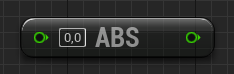
The Blueprint Absolute node maps to FMath::Abs(A) in C++, returning the magnitude of an int32 or float value.
Blueprint node & C++ equivalent
int32 A;
int32 Result1 = FMath::Abs(A);

float B;
float Result2 = FMath::Abs(B);
What does the Absolute node do?
Absolute returns a value's distance from zero, stripping its sign. FMath::Abs is templated, so it works for both integers and floats: FMath::Abs(A) on an int32 returns an int32, and FMath::Abs(B) on a float returns a float.
The C++ equivalent
Use int32 Result1 = FMath::Abs(A); for integers and float Result2 = FMath::Abs(B); for floats. The same FMath::Abs call resolves to the correct overload based on the argument type, so you do not need separate function names like the Blueprint editor implies.
Frequently asked questions
What is the C++ equivalent of the Absolute node in UE5?+
It is FMath::Abs(Value), a templated function that returns the absolute value of an int32 or float.
Does FMath::Abs work on both int and float?+
Yes. FMath::Abs is templated and returns the same type you pass in, whether int32 or float.